> For the complete documentation index, see [llms.txt](https://pumpd-co.gitbook.io/pumpd-docs/llms.txt). Markdown versions of documentation pages are available by appending `.md` to page URLs; this page is available as [Markdown](https://pumpd-co.gitbook.io/pumpd-docs/how-to-guides/examples-of-dates-and-times-and-their-corresponding-formats.md).
# Examples of Dates & Times and their corresponding formats
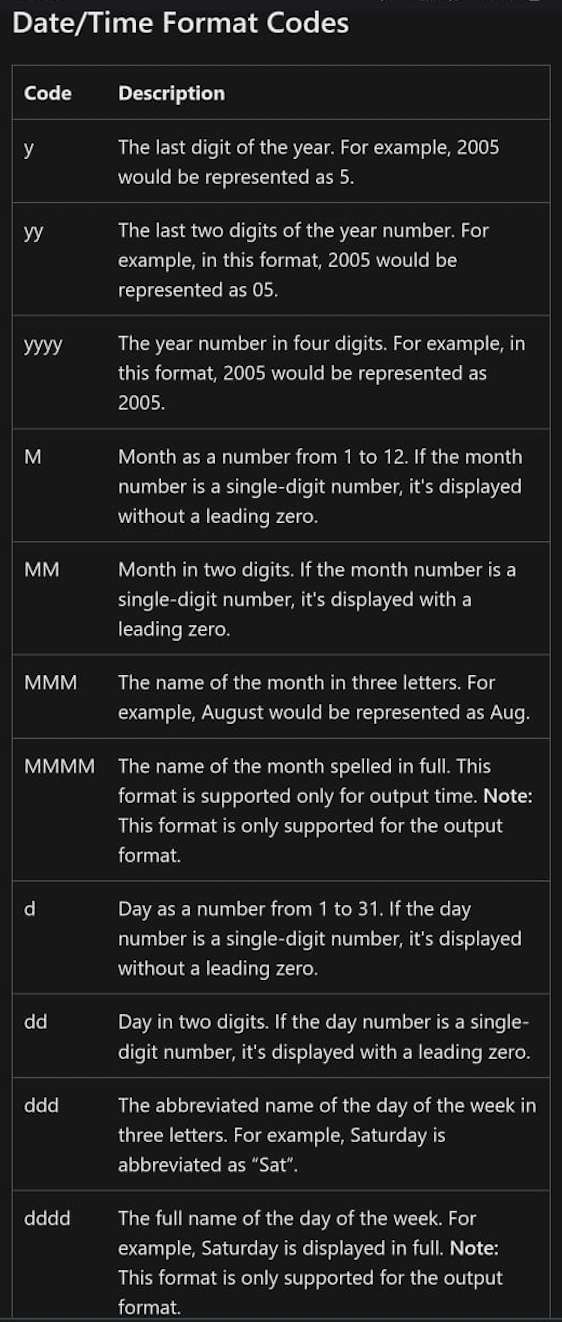
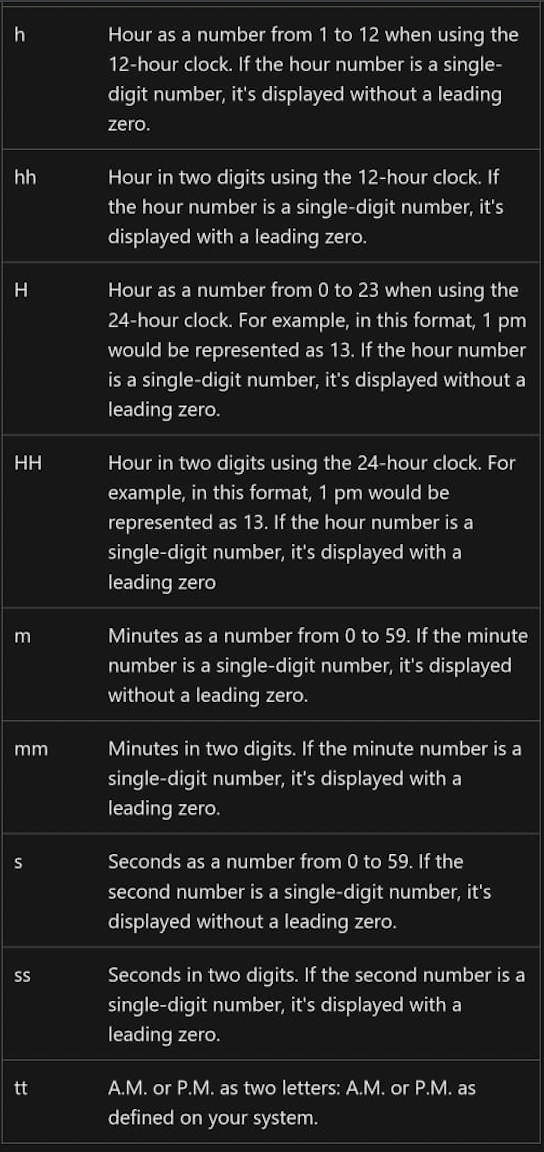
When setting up a “Receipt Printing” the system allows you to customize the settings, add logo, etc. One of the settings you can change is the Date & Time format. Here are the steps & some examples of date & time format that you can use.
## Steps
1. Log in to your account [https://admin.pumpd.co.nz ](https://pumpd-co.gitbook.io/pumpd-docs/how-to-guides/https:/admin.pumpd.co.nz )
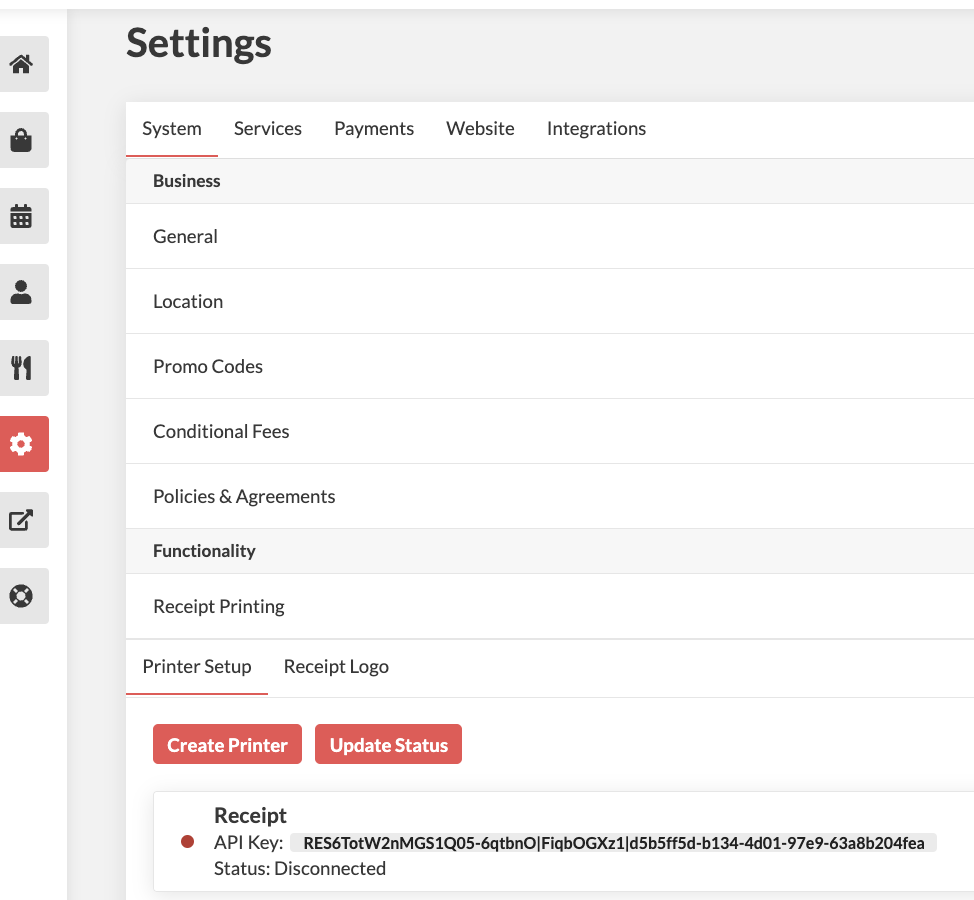
2. Go to Settings > System > Receipt Printing > Printer Setup > Click on the current printer
3. Under General Section , scroll down to Override Date Format & Override Time Format
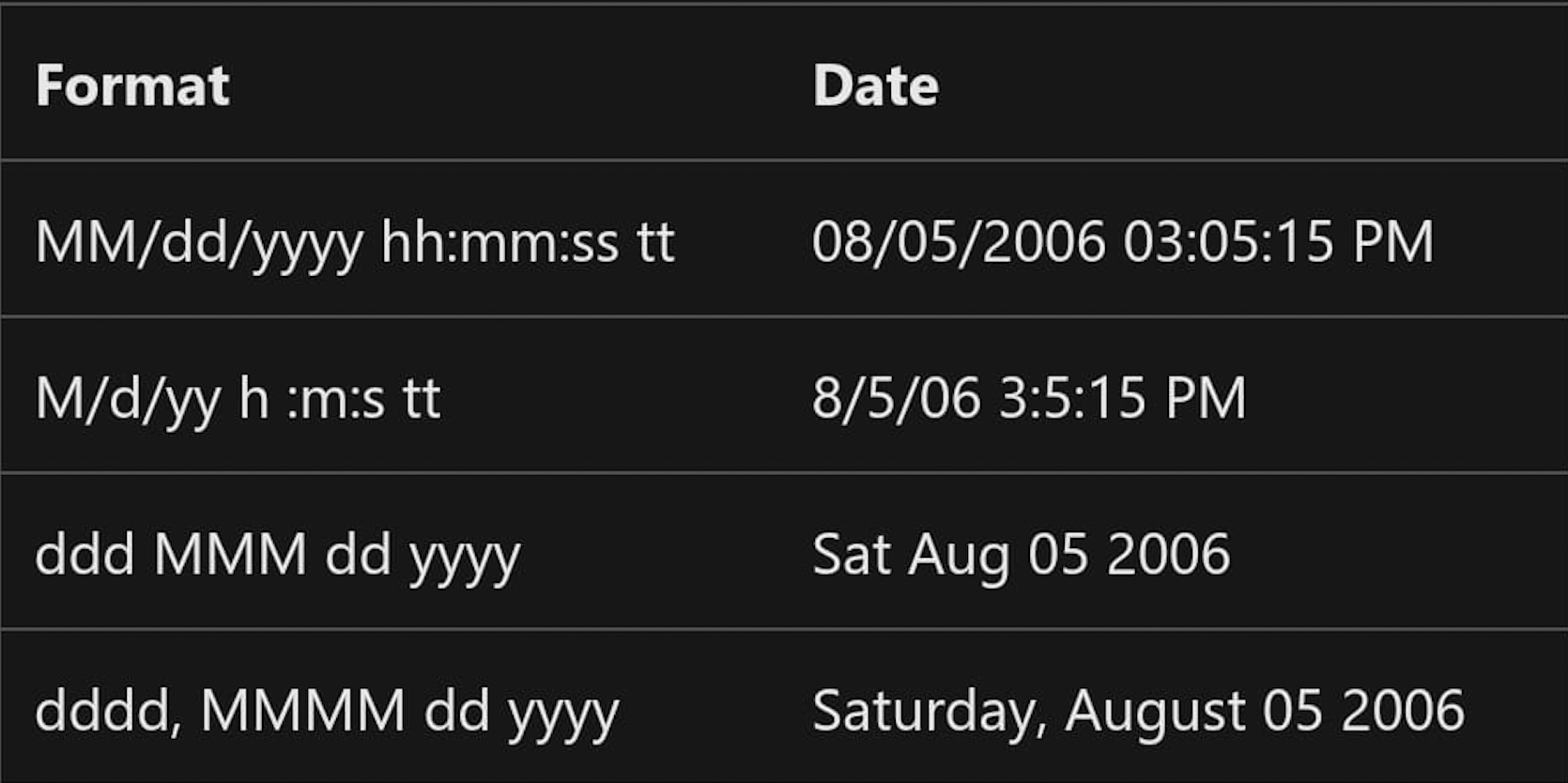
### Here are some examples of dates and times and their corresponding formats:
.png?alt=media)